
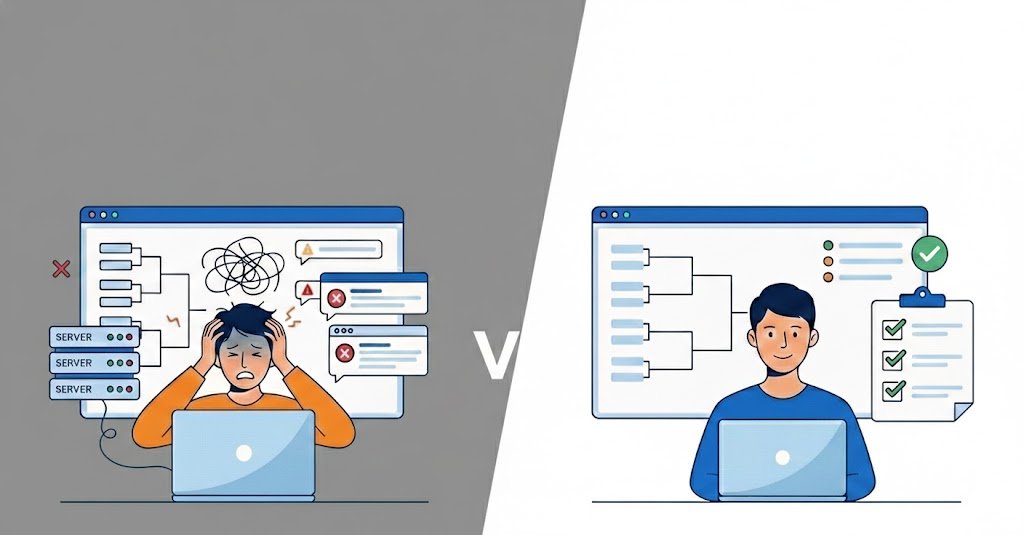
10 Common Mistakes When Organizing an Online Tournament (and How to Avoid Them)

Organizing an online tournament can be exciting, but small planning mistakes can quickly create problems for players and organizers.
Missing registrations, unclear rules, scheduling problems, no-shows, communication issues, and manually managed results can make an event much harder to run than expected.
The good news is that most tournament problems can be prevented with a clear process.
Whether you are organizing a small gaming community event or a larger esports competition, here are 10 common online tournament mistakes and how to avoid them.
1. Starting Without a Clear Goal
One of the most common tournament mistakes is starting the event before deciding what you want to achieve.
Your tournament might be designed to:
- Build a gaming community
- Attract new players
- Create recurring competitions
- Promote a gaming organization
- Generate revenue
- Give players a competitive experience
- Test a new tournament concept
Without a clear goal, it becomes harder to decide how large the tournament should be, which format to use, how to promote it, and what the participant experience should look like.
How to avoid it
Before creating the tournament, define:
- Your target participants
- The game
- Tournament size
- Tournament format
- Date and time
- Competitive level
- Entry requirements
- Prizes, if applicable
- What you want participants to get from the event
If this is your first tournament, our guide on how to create an online tournament walks through the entire process from planning to results.
2. Choosing the Wrong Tournament Format
The tournament format affects the number of matches, event duration, scheduling, and participant experience.
Choosing a format without considering the number of players or teams can create unnecessary problems.
For example, a full round robin may work well for a small group but become extremely difficult to manage with a large number of participants.
Similarly, single elimination may be efficient for a short event but may not be ideal if participants expect multiple matches.
How to avoid it
Consider:
- Number of participants
- Available time
- Number of matches
- Competitive level
- Whether participants should get a second chance
- How much scheduling complexity you can manage
Before creating your bracket, compare the main tournament formats and choose one that matches your event.
3. Making Tournament Registration Too Complicated
A complicated registration process can discourage people from completing their signup.
Asking for too much information or requiring participants to communicate with organizers through multiple channels creates unnecessary friction.
For example, if players have to:
- Fill out a form
- Send a Discord DM
- Submit their game ID somewhere else
- Confirm their registration manually
the process can quickly become confusing.
How to avoid it
Keep registration simple.
Only collect the information you actually need, such as:
- Player name
- Team name
- Game ID
- Discord username
- Region or server
- Contact information
- Required eligibility information
Clearly explain what participants need to do and what happens after they register.
For more information, see our guide on how to manage tournament registration.
4. Managing Registrations Through DMs or Spreadsheets
Spreadsheets and direct messages can work for very small events.
However, they become difficult to manage as your tournament grows.
You may have to deal with:
- Duplicate registrations
- Missing information
- Players withdrawing
- Last-minute changes
- Different versions of spreadsheets
- Messages spread across different platforms
- Manual updates
The problem is not that spreadsheets are inherently bad.
The problem is that they are not designed to manage an entire tournament workflow.
How to avoid it
Use a centralized registration and tournament management process.
Keep participant information in one place so you can easily review registrations, prepare the bracket, communicate with players, and manage the event.
If your registration process is becoming difficult to manage, read our guide on tournament registration without spreadsheets or DMs.
5. Writing Rules That Are Too Long or Unclear
Tournament rules need to answer the questions players are likely to have.
But making the rules extremely long does not necessarily make them better.
Players need to quickly understand:
- Who can participate
- Match format
- Game mode
- Server or region
- Match times
- Check-in requirements
- No-show rules
- Disconnect rules
- Result reporting
- Dispute process
- Prize information
How to avoid it
Organize your rules into clear sections.
For example:
Eligibility
Who can participate?
Match Rules
How are matches played?
Scheduling
When and where do players compete?
No-Shows
What happens if someone does not appear?
Disputes
How are disagreements handled?
Prizes
What can winners expect?
Use short explanations and bullet points wherever possible.
6. Not Having a Plan for No-Shows and Disputes
Not every registered player will necessarily show up.
You may also encounter:
- Players arriving late
- Disconnects
- Incorrect results
- Accusations of rule violations
- Players disputing match outcomes
- Technical problems
If you have not decided how to handle these situations before the tournament starts, you may end up making inconsistent decisions during the event.
How to avoid it
Define your procedures before registration opens.
For example:
No-show
A player who does not appear within the defined waiting period loses by default.
Disconnect
The rules explain when a match can be restarted.
Dispute
Players submit evidence and the organizer reviews the situation.
Technical problem
The organizer determines whether the match should continue, restart, or be rescheduled.
Make these procedures part of your published tournament rules.
7. Poor Tournament Scheduling
A tournament can have a good format and still run badly because of poor scheduling.
Common scheduling problems include:
- Matches starting too close together
- Not accounting for match duration
- Players not knowing when they play
- Delays affecting every following round
- Different time zones being ignored
How to avoid it
Before publishing the schedule, estimate how long each round will take.
Consider:
- Match duration
- Check-in time
- Breaks
- Delays
- Technical problems
- Time between rounds
Make sure players know:
- Their match time
- Their opponent
- Where to play
- How to report results
- What happens if they are late
For larger tournaments, building the schedule around your chosen format is especially important.
8. Failing to Communicate With Players
Even a well-organized tournament can feel chaotic if players do not know what is happening.
Participants should not have to repeatedly ask:
“When is my match?”
or:
“Who am I playing?”
or:
“Where do I report the result?”
Before the tournament
Send participants:
- Tournament date
- Start time
- Rules
- Check-in instructions
- Communication channel
- Match information
- Important deadlines
During the tournament
Communicate:
- Match delays
- Schedule changes
- Bracket updates
- Technical problems
- Important announcements
After the tournament
Communicate:
- Final results
- Winners
- Prize information
- Certificates, if applicable
- Future tournament announcements
A clear communication process can reduce repetitive questions and make the event easier to manage.
9. Managing Results Manually
Manually tracking results can become difficult once several matches are happening at the same time.
You may need to update:
- Winners
- Losers
- Bracket positions
- Match statuses
- Standings
- Final results
A small mistake can cause incorrect information to appear in the bracket or standings.
How to avoid it
Use a centralized tournament management workflow where possible.
Make sure organizers and participants have a clear way to:
- Report results
- Verify results
- See completed matches
- Track tournament progress
- See who advances
The goal is to reduce the amount of repetitive manual work required during the tournament.
10. Not Reviewing the Tournament After It Ends
The tournament does not stop being useful once the final match is over.
If you immediately move on to the next event without reviewing what happened, you may repeat the same problems.
How to avoid it
After the tournament, review:
- Number of registrations
- Number of actual participants
- No-show rate
- Match completion rate
- Tournament duration
- Number of disputes
- Common participant questions
- Registration problems
- Scheduling problems
- Player feedback
- Returning participants
Ask yourself:
- Was registration easy?
- Were the rules clear?
- Was the format appropriate?
- Did matches start on time?
- Was communication effective?
- Were results easy to manage?
- What should change next time?
Use those answers to improve your next event.
Online Tournament Checklist
Before launching your next tournament, make sure you have:
Planning
- Clear tournament objective
- Game selected
- Participant limit
- Tournament format
- Date and time
Rules
- Eligibility requirements
- Match rules
- No-show policy
- Disconnect policy
- Dispute process
- Prize information
Registration
- Registration process
- Required participant information
- Registration deadline
- Participant limit
- Check-in process
Tournament management
- Bracket
- Match schedule
- Communication channel
- Result reporting process
- Procedure for technical problems
After the tournament
- Final results
- Winners announced
- Prizes distributed
- Certificates, if applicable
- Participant feedback
- Post-tournament review
How Cetus Gaming Helps Avoid Tournament Management Problems
Many of the problems above happen because tournament information is spread across different tools.
Registrations may be in a spreadsheet, communication in Discord, matchups somewhere else, and results in another document.
Cetus Gaming gives tournament organizers a centralized platform to manage their events.
With Cetus Gaming, you can:
- Create tournaments
- Manage registrations
- Manage players and teams
- Organize brackets
- Schedule matches
- Track results
- Manage tournament information
Instead of switching between spreadsheets, DMs, and disconnected tools, you can keep your tournament workflow organized in one place.
Create your next tournament with Cetus Gaming.
Frequently Asked Questions About Online Tournament Mistakes
What are the most common online tournament mistakes?
Common mistakes include choosing the wrong format, making registration too complicated, relying too heavily on DMs or spreadsheets, writing unclear rules, failing to plan for no-shows, poor scheduling, weak communication, manually managing results, and not reviewing the tournament afterward.
How can I avoid problems when organizing an online tournament?
Start with a clear objective, choose an appropriate format, create simple rules, organize registration, plan your schedule, communicate clearly with participants, and have procedures for no-shows, disputes, and technical problems.
Why are spreadsheets difficult for tournament management?
Spreadsheets can work for small events, but managing registrations, participant changes, brackets, schedules, and results manually becomes increasingly time-consuming as the tournament grows.
How should I manage tournament registration?
Use a simple, centralized registration process that collects only the information you need. Review registrations before the tournament and make sure participants understand what happens after they register.
What should tournament rules include?
Tournament rules should explain eligibility, match format, scheduling, no-shows, disconnects, disputes, result reporting, and prizes.
How do I deal with tournament no-shows?
Define a clear no-show policy before registration opens. For example, you can establish a check-in deadline and a maximum waiting period before awarding a default win.
How do I choose the right tournament format?
Consider the number of participants, available time, number of matches, competitive level, and whether participants should have multiple opportunities to play. Our tournament formats guide explains the main options in more detail.
Final Thoughts
Organizing an online tournament does not have to be complicated.
Most tournament problems can be reduced with a few basic principles:
- Plan the event before opening registration
- Choose a format that fits your participants and schedule
- Keep registration simple
- Make rules clear
- Prepare for no-shows and disputes
- Communicate consistently
- Keep results organized
- Review the event afterward
As your tournaments grow, using a centralized tournament management platform can also reduce repetitive administrative work and help you create a more consistent experience for participants.
Ready to organize your next tournament? Create it with Cetus Gaming.