How to Create an Online Tournament: A Step-by-Step Guide

Running an online tournament involves more than creating a bracket. You need to define the event, choose a format, create clear rules, collect registrations, schedule matches, manage results, and keep participants informed.
The good news is that you do not need to be a large esports organization to run a professional online tournament. With a clear process and the right tournament management tools, you can organize anything from a small 1v1 gaming competition to a larger esports event.
This guide explains how to create an online tournament step by step, from planning and registration to brackets, match results, prizes, and post-tournament improvements.
1. Define Your Tournament
Before choosing a platform or creating a bracket, define what your tournament is going to look like.
Start by answering these questions:
What game will you play?
Is the tournament 1v1, 2v2, or team-based?
Who can participate?
How many players or teams will you accept?
When will the tournament take place?
Will there be an entry fee?
Will there be prizes?
Is the tournament casual or competitive?
Is it public or invite-only?
You should also decide what you want the tournament to achieve. For example, your goal might be to:
Build a gaming community
Attract new players
Create recurring competitions
Promote a gaming club or organization
Generate revenue through entry fees
Give players a competitive experience
Start simple for your first tournament
If this is your first event, avoid unnecessary complexity. A small 1v1 tournament with a single-elimination format can be much easier to manage than a large team tournament with multiple stages. Once you understand the process, you can scale your events.
2. Choose the Right Tournament Format
The tournament format determines how players progress through the competition and how many matches they need to play. If you are comparing formats in more detail, see our tournament formats guide.
| Format | Best for | Main advantage |
| Single elimination | Small and fast tournaments | Simple and quick |
| Double elimination | Competitive tournaments | Players get a second chance |
| Round robin | Small groups | Everyone plays everyone |
| Swiss | Larger competitive events | Multiple rounds without a full round robin |
Single elimination
In a single-elimination tournament, a player or team is eliminated after losing one match. This format is popular because it is easy to understand and relatively fast.
It works particularly well for:
1v1 tournaments
Community events
Short competitions
Large tournaments with limited time
Double elimination
Double elimination gives players or teams a second chance after their first loss. Participants normally move into a lower bracket after losing in the winners’ bracket. This format takes longer to run but can provide a more competitive experience.
Round robin
In a round-robin tournament, participants play against each other according to the tournament schedule. It works well for smaller groups where you want every participant to have multiple matches. The downside is that the number of matches can increase quickly as the number of participants grows.
Swiss tournaments
Swiss tournaments allow participants to play multiple rounds without requiring everyone to play everyone else. Players are generally matched against opponents with similar results as the tournament progresses. Swiss formats can work particularly well for larger competitive events where you want participants to play several matches.
3. Create Clear Tournament Rules
Good tournament rules prevent confusion before it happens. Your rules do not need to be complicated, but players should know exactly what is expected from them.
At minimum, define:
Player eligibility
Who can participate
Minimum or maximum age if applicable
Region or server restrictions
Whether teams or individual players can register
Any rank or skill requirements
Match rules
Match format
Game mode
Number of games per match
Map or side selection rules
Server requirements
How a winner is determined
No-shows
Clearly explain what happens when a player does not appear for their match. For example, you may establish a check-in deadline and a maximum waiting period before awarding a win by default.
Disconnects and technical problems
Players should know what happens if:
A player disconnects
The game server crashes
A match needs to be restarted
There is a technical issue
Results and disputes
Who reports match results
What evidence players should provide
How long players have to report a dispute
Who makes the final decision
Prizes
Prize amounts or items
Distribution method
When prizes will be delivered
Eligibility requirements
The clearer your rules are, the fewer questions you will need to answer during the tournament.
4. Set Up Tournament Registration
Once your format and rules are ready, you need a reliable way to collect registrations. A well-organized tournament registration process keeps participant information in one place and makes the event easier to manage.
Avoid managing registrations entirely through DMs, spreadsheets, or scattered chat messages. These methods can quickly become difficult to manage when you have dozens or hundreds of participants.
Depending on your tournament, you may need to collect information such as:
Player or team name
Game ID
Contact information
Discord username
Region or server
Team members
Any information required by your tournament rules
Why centralized registration matters
A centralized tournament registration system gives you one place to manage your participants. Instead of checking multiple messages or spreadsheets, you can see who registered and keep tournament information organized. This becomes especially important when running recurring tournaments.
5. Create Your Tournament Bracket and Schedule
After registration closes, you need to organize participants into the tournament structure. Depending on your format, this may involve creating a bracket, assigning players to rounds, or generating matchups.
Seed your participants
Seeding determines how participants are placed in the tournament. You can use:
Random seeding
Rankings
Previous tournament results
Qualifier results
Manual seeding
For casual community tournaments, random seeding may be enough. For competitive tournaments, you may want to use rankings or previous performance to create a more balanced bracket.
Schedule the matches
Make sure players know:
When their match starts
Who their opponent is
Where to play
How to report the result
What happens if they are late
If your tournament includes multiple rounds, consider how long each round will take before setting the final schedule.
Consider check-in
For online tournaments, check-in can help reduce no-shows. You can ask registered participants to confirm that they are ready before the tournament begins. This gives you a more accurate idea of who will actually participate.
6. Run the Tournament
The day of the tournament is where your preparation matters most.
Before the first match
Before the tournament starts:
Confirm the participant list
Check registrations
Complete player check-in
Publish the final bracket
Remind players about the rules
Confirm the tournament start time
Make sure communication channels are ready
During matches
As matches progress:
Monitor the bracket
Track results
Answer player questions
Handle disputes
Update match statuses
Communicate delays or schedule changes
Try to avoid making players search through multiple platforms for basic tournament information. The easier it is for participants to find their opponent, match time, bracket, and results, the smoother the tournament will be.
Manage results in one place
Players should have a clear way to know:
Where to report results
Where to see completed matches
Who won each match
Who advances to the next round
What the current standings are
Dedicated tournament management software can save organizers significant time by keeping these details connected.
7. Finish the Tournament and Announce the Results
Once the final match is complete, the tournament is not quite finished. Make sure the final results are accurate before announcing the winners.
You should:
Confirm the final standings
Verify the last match result
Announce the winners
Distribute prizes
Provide certificates if applicable
Save the final tournament results
Thank the participants
A professional ending can make players more likely to participate in your next tournament.
Certificates can improve the player experience
For community, school, university, and esports events, certificates can be a useful way to recognize winners and participants. If you run tournaments regularly, automating certificates can also reduce repetitive administrative work.
8. Review Your Tournament and Improve the Next One
Your first tournament probably will not be perfect. That is normal. The important thing is to learn from the event and use that information to improve the next one.
After the tournament, review:
Number of registrations
Number of participants who actually showed up
Match completion rate
Tournament duration
Number of disputes
Common player questions
Registration problems
Scheduling problems
Player feedback
Number of returning participants
Ask yourself:
Was registration easy?
Were the rules clear?
Did the tournament format work?
Did matches start on time?
Was it easy to track results?
Would players join another tournament from you?
These answers will help you improve every event you organize.
How Cetus Gaming Helps You Manage Online Tournaments
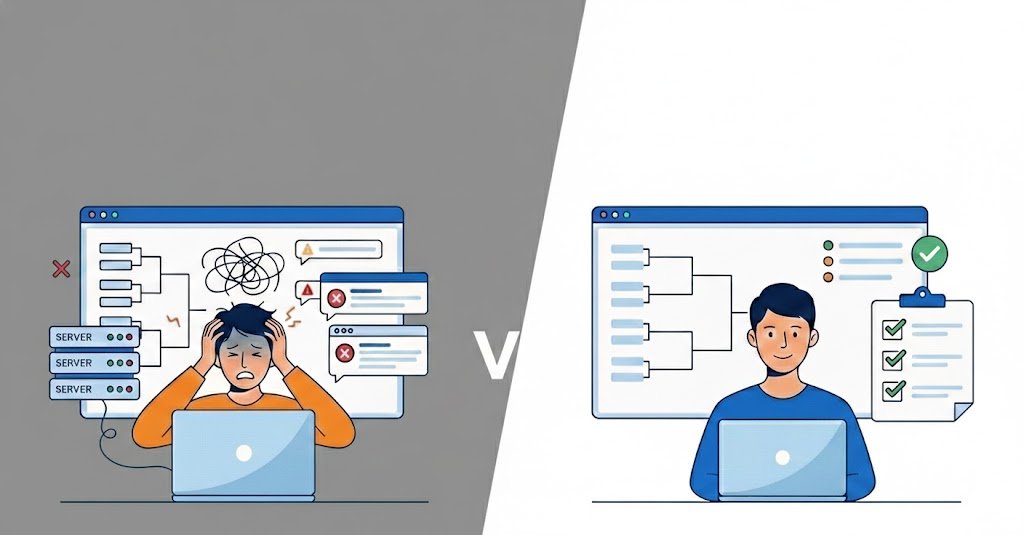
Managing an online tournament can quickly become complicated when registrations, participants, brackets, schedules, results, and certificates are spread across different tools.
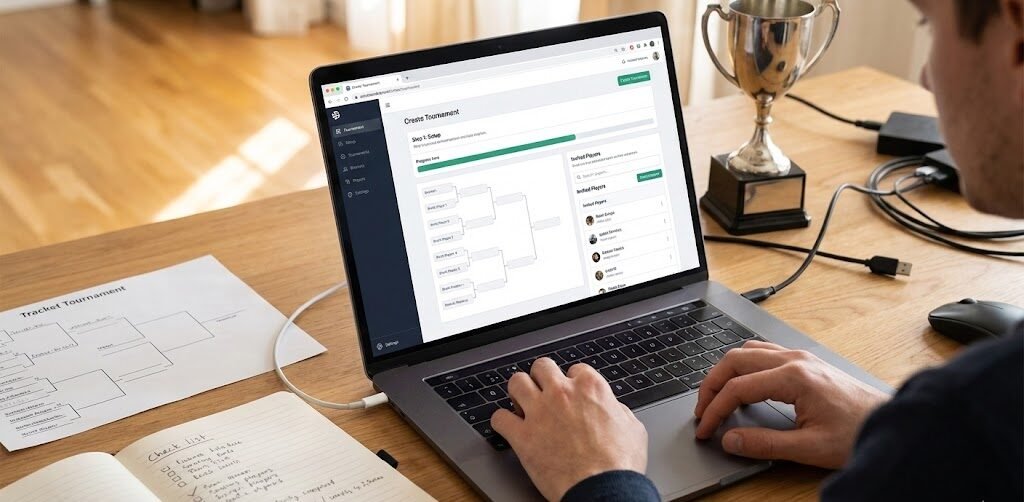
Cetus Gaming gives tournament organizers a centralized platform to manage these processes in one place.
With Cetus Gaming, you can:
Create tournaments
Manage registrations
Manage teams and players
Organize brackets
Schedule matches
Track results
Generate certificates for winners
Instead of managing your tournament through spreadsheets, DMs, and disconnected tools, you can keep the important information organized in one platform.
Ready to organize your first tournament? Create your first tournament with Cetus Gaming
Frequently Asked Questions About Online Tournaments
What do I need to create an online tournament?
You need a game, tournament format, participant rules, schedule, registration system, and a way to manage brackets and results. For larger tournaments, tournament management software can help centralize these processes.
What is the best format for a first online tournament?
Single elimination is one of the simplest formats for a first tournament because the bracket is easy to understand and the event can be completed relatively quickly. For smaller groups where you want everyone to play multiple matches, round robin can also work well.
How many players should my first tournament have?
There is no universal number. Starting with a manageable number of participants is usually easier than making your first tournament too large. You could start with 8, 16, or 32 players and increase the size as you gain experience.
How do I create an online tournament bracket?
Choose your tournament format, determine the number of participants, seed your players or teams, and create the bracket structure. A tournament management platform can simplify this process by keeping participants, matchups, and results connected.
How do I manage online tournament registrations?
Use a centralized registration system instead of relying entirely on DMs or spreadsheets. A good registration system should let you collect participant information and keep the final participant list organized.
Can I run an online tournament for free?
Yes. Many community tournaments can be organized with little or no budget. Your main costs may depend on the game, prizes, platform, promotion, and other services you use.
Start Organizing Your Tournament
Creating an online tournament does not have to be complicated. Start with:
A clear objective
The right tournament format
Simple and complete rules
Organized registration
A clear bracket and schedule
Reliable result management
Good communication with participants
As your tournaments grow, the right tournament management system can help you spend less time managing administrative tasks and more time building your community.