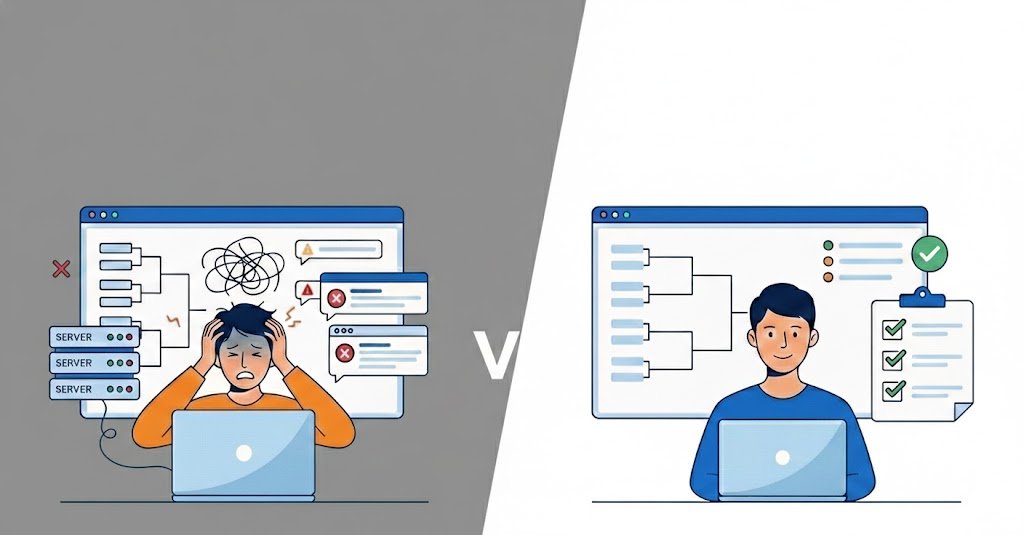

How to Manage Tournament Registration Without Spreadsheets or DMs

Tournament registration is one of the first things you need to organize when running an online tournament. If player information is scattered across spreadsheets, Discord messages, social media DMs, and forms, managing the event can quickly become difficult.
A good registration process gives you a clear list of participants, reduces mistakes, and makes it easier to move from registration to brackets and match scheduling.
Whether you are organizing a small community competition or a larger esports event, this guide explains how to manage tournament registration efficiently without relying on spreadsheets or DMs.
If you are starting from scratch, you can also follow our complete guide on how to create an online tournament.
Why Tournament Registration Matters
Tournament registration is more than collecting names.
The information you collect during registration becomes the foundation for the rest of your tournament. You may need that information to create your bracket, contact players, verify eligibility, organize teams, and communicate match details.
A well-organized registration process helps you:
- Know exactly who is participating
- Collect the information you need before the event
- Reduce duplicate or incomplete registrations
- Keep participant information organized
- Prepare your tournament bracket
- Contact players when necessary
- Reduce last-minute administrative work
The larger your tournament becomes, the more important this organization becomes.
What Information Should You Collect?
The information you need depends on your game, tournament format, and rules.
For a simple 1v1 tournament, you may only need basic information. A team-based esports competition may require significantly more.
Common registration information includes:
- Player name
- Team name
- In-game username
- Game ID
- Email address
- Discord username
- Region or server
- Team members
- Age, when relevant to your event
- Agreement to the tournament rules
Do not ask for information simply because you can.
Only collect information that you actually need to organize and run the tournament. A shorter registration form is generally easier for participants to complete.
Why Spreadsheets Become Difficult to Manage
Spreadsheets can work for a very small tournament.
If you have eight or ten participants, manually maintaining a list may not be a major problem.
The situation changes when you start getting dozens or hundreds of registrations.
You may need to deal with:
- Duplicate registrations
- Missing information
- Players changing their usernames
- Team members being added or removed
- Players withdrawing
- Late registrations
- Eligibility problems
- Multiple people editing the same spreadsheet
- Information being spread across different files
You can end up spending more time maintaining the spreadsheet than actually organizing the tournament.
Spreadsheets also do not automatically connect registration information with your bracket, matches, or results.
Why Managing Registrations Through DMs Doesn’t Scale
Discord, Instagram, WhatsApp, Reddit, and other messaging platforms can be useful for communicating with your community.
They are not ideal as your primary registration system.
When players register through DMs, important information can become difficult to track.
For example:
Player: “Hey, I’d like to join.”
Then you may need to ask:
“What’s your game ID?”
Then:
“What’s your Discord?”
Then:
“Are you playing from NA or EU?”
Now the registration information is distributed across a conversation instead of being stored in a structured participant list.
Multiply this by 50 or 100 players and the administrative workload grows quickly.
Messaging platforms should be used for communication, not as your main database for tournament registration.
What a Good Tournament Registration System Should Include
A useful registration system should make the process easier for both organizers and participants.
1. A Simple Registration Form
Players should be able to register without having to exchange multiple messages with an organizer.
The registration form should only ask for the information necessary for the tournament.
2. A Centralized Participant List
Once someone registers, their information should be stored in one place.
This makes it easier to:
- Check participants
- Identify missing information
- Remove invalid registrations
- Prepare brackets
- Contact players
- Manage the event
3. Team Registration
If you organize team-based tournaments, registration should account for the entire team rather than treating every player as an unrelated participant.
Depending on your tournament, you may need:
- Team name
- Team captain
- Team members
- Game IDs
- Contact information
4. Registration Status
It can be useful to know whether a participant is:
- Registered
- Confirmed
- Checked in
- Withdrawn
- Disqualified
This becomes especially useful when the tournament has a large number of participants.
5. Registration Deadlines
Always communicate when registration closes.
A clear deadline gives you enough time to:
- Review participants
- Resolve eligibility problems
- Finalize the participant list
- Create the bracket
- Publish the schedule
Avoid changing the participant list at the last minute unless your tournament rules allow late registrations.
How to Create a Better Tournament Registration Flow
A simple registration flow can look like this:
1. Publish the tournament
Explain the game, date, format, rules, prizes, and eligibility requirements.
↓
2. Open registration
Give participants a clear way to sign up.
↓
3. Collect participant information
Only request the information required to organize the tournament.
↓
4. Review registrations
Check for missing information, duplicates, and eligibility issues.
↓
5. Close registration
Finalize the participant list before creating the bracket.
↓
6. Create the tournament structure
Use your participant list to create the bracket and schedule.
↓
7. Check in participants
Confirm who is actually available to compete.
This process is much easier to manage when registration and tournament management are handled in one place.
How to Reduce Registration Drop-Off
Getting someone to start a registration form does not guarantee that they will finish it.
A complicated registration process can cause participants to leave before completing it.
Keep the form short
Only ask for information that is necessary.
If you ask for ten pieces of information when you only need five, you are adding unnecessary friction.
Explain why information is needed
If you need a Discord username, game ID, or region, make it clear why participants need to provide it.
Make requirements obvious
Tell participants:
- Who can register
- When registration closes
- What information they need
- Whether registration is free
- Whether teams are required
- When the tournament starts
This reduces confusion before registration.
Make the next step clear
After someone registers, they should know what happens next.
For example:
Registration received. Check-in opens 30 minutes before the tournament starts.
Simple instructions can prevent unnecessary questions.
When Should You Stop Using Spreadsheets?
There is no specific number of participants at which you must stop using spreadsheets.
The better question is:
How much time are you spending managing the spreadsheet?
If you regularly have to:
- Clean participant data
- Copy information between files
- Check DMs for missing information
- Manually update registrations
- Build brackets from spreadsheet data
- Track participant status
- Answer the same registration questions repeatedly
then your registration process may be ready for a dedicated tournament management solution.
The problem is not that spreadsheets are bad.
The problem is that they were not designed to manage an entire tournament workflow.
How Tournament Registration Connects to the Rest of Your Event
Registration is only the beginning.
Once you know who is participating, you need to decide how those participants will compete.
Your tournament format affects how registrations turn into matches, brackets, and schedules.
For example:
- Single elimination creates a straightforward knockout bracket.
- Double elimination gives players a second chance.
- Round robin requires participants to play multiple opponents.
- Swiss creates pairings across several rounds.
If you are still deciding which structure to use, read our guide to choosing the right tournament format for your event.
A clear connection between registration and tournament structure can save organizers significant time.
Common Tournament Registration Problems
Even with a registration system, organizers should prepare for common problems.
Duplicate registrations
A participant may accidentally register more than once.
Have a process for identifying and removing duplicate entries before the tournament begins.
Missing information
A player may register without providing a required game ID, team member, or contact method.
Review registrations before closing the registration period.
Players who do not show up
Not everyone who registers will necessarily participate.
This is why check-in can be useful before the tournament starts.
Last-minute withdrawals
Players may need to withdraw shortly before the event.
Your tournament rules should explain how withdrawals affect the bracket or team.
Incorrect information
Players can make mistakes when entering their username, game ID, or other details.
Give participants an opportunity to verify their information before the tournament begins.
How to Manage Tournament Registration With Cetus Gaming
Managing tournament registration becomes increasingly difficult when participant information is spread across spreadsheets, DMs, forms, and other tools.
Cetus Gaming gives organizers a centralized way to manage tournaments and participants.
With Cetus Gaming, you can:
- Create tournaments
- Manage player registrations
- Manage teams and players
- Organize tournament brackets
- Schedule matches
- Track results
- Manage tournament information
Instead of switching between multiple tools, you can keep the important information connected to your tournament.
If you are ready to organize your next event, create your tournament with Cetus Gaming.
Frequently Asked Questions About Tournament Registration
What is tournament registration?
Tournament registration is the process of collecting participant information before an event. Depending on the tournament, this can include player names, game IDs, team information, contact details, and eligibility information.
What information should I collect for tournament registration?
Collect the information required to identify participants, verify eligibility, organize teams, communicate with players, and run the tournament. Common information includes player names, game IDs, Discord usernames, email addresses, regions, and team information.
Can I manage tournament registration with Google Sheets?
Yes. Google Sheets can work for small tournaments. However, as the number of participants grows, manually managing registrations, updates, duplicates, and bracket information can become time-consuming.
Should players register through Discord DMs?
Discord can be useful for communication, but it is generally better to use a structured registration process for collecting participant information. This makes the information easier to organize and review.
How do I organize registrations for a team tournament?
For team tournaments, collect the team name, captain information, and the required details for each team member. Make sure your registration process clearly explains how teams should be created and who is responsible for submitting the registration.
When should tournament registration close?
Registration should close early enough to give you time to review participants, resolve problems, finalize the participant list, create the bracket, and prepare the schedule.
How can I reduce tournament registration problems?
Keep the registration form simple, clearly explain the requirements, collect only necessary information, set a deadline, review registrations before the tournament, and give participants clear instructions about what happens after they register.
Final Thoughts
Tournament registration should make organizing an event easier, not create another administrative problem.
A good process gives you a clean participant list, collects the information you need, reduces confusion, and prepares your tournament for the next steps.
As your tournaments grow, moving away from scattered spreadsheets and DMs toward a centralized tournament management workflow can help you spend less time on administration and more time building your community.
Ready to organize your next tournament? Create it with Cetus Gaming.